
Text messages (SMS)
This page describes how a person agrees to receive text messages from ReiSpace, what those messages are, and how to stop them. There is no sign-up form on this page: consent is given only inside the ReiSpace app.
Who sends the messages
ReiSpace Technologies Inc. Each message ReiSpace sends starts with “ReiSpace:”.
What the messages are
Account verification and two-factor authentication (sign-in) codes only. No marketing messages are sent by text. Message frequency varies with account activity.
An example message:
ReiSpace: Your verification code is 123456. This code expires in 10 minutes. Do not share this code with anyone. Reply HELP for help or STOP to opt out. Message and data rates may apply.
How a person opts in
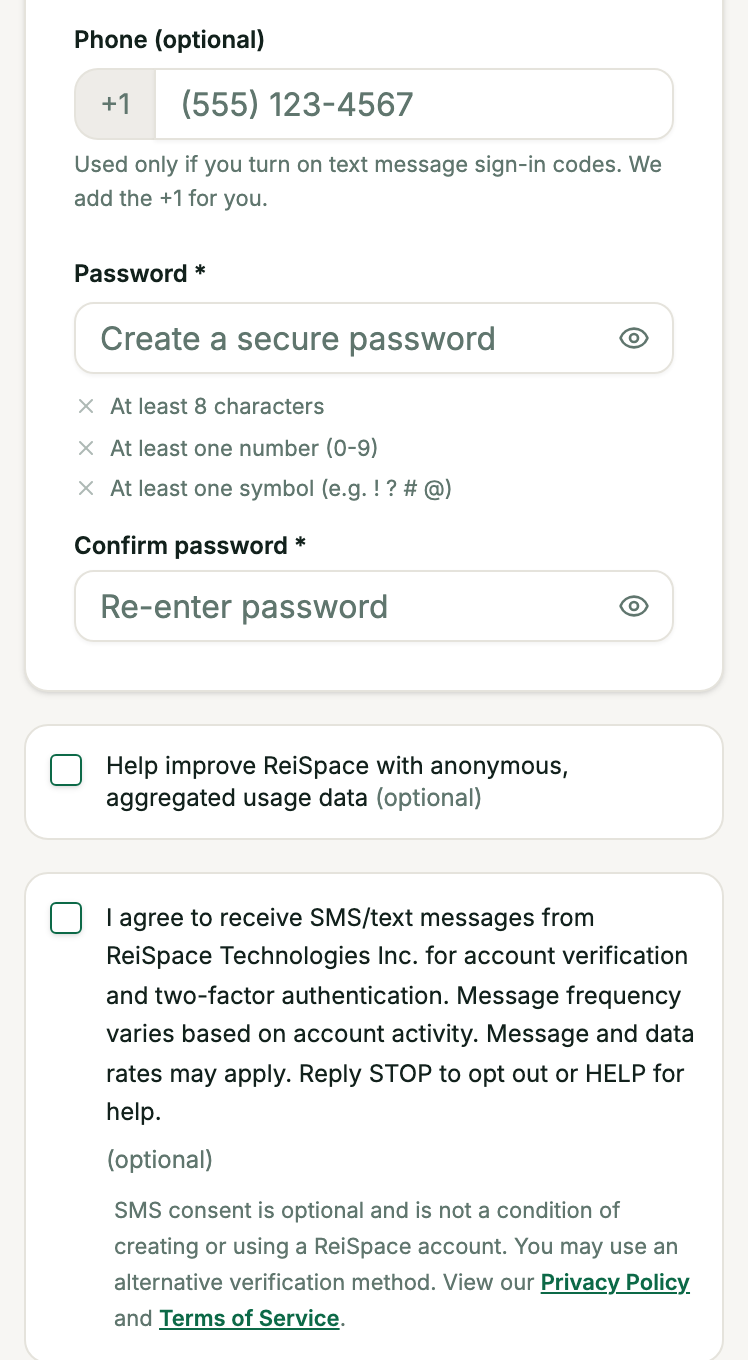
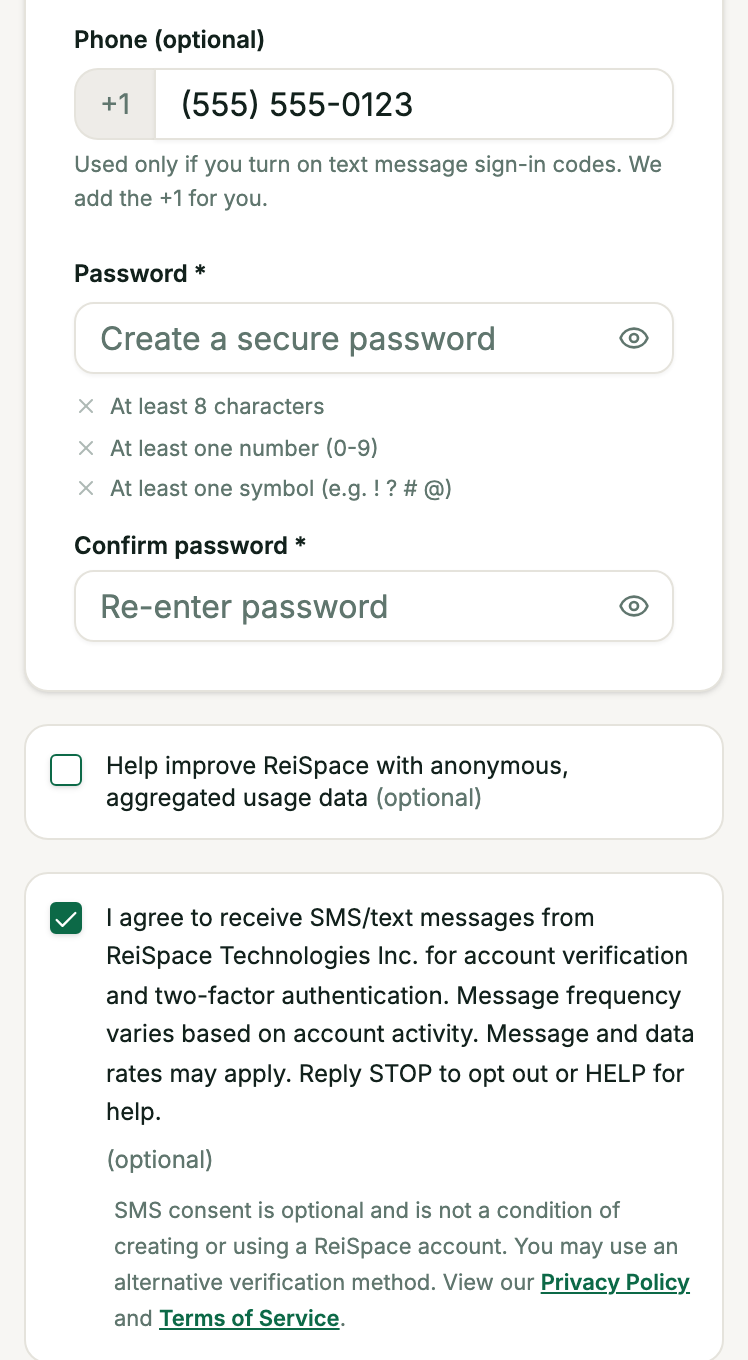
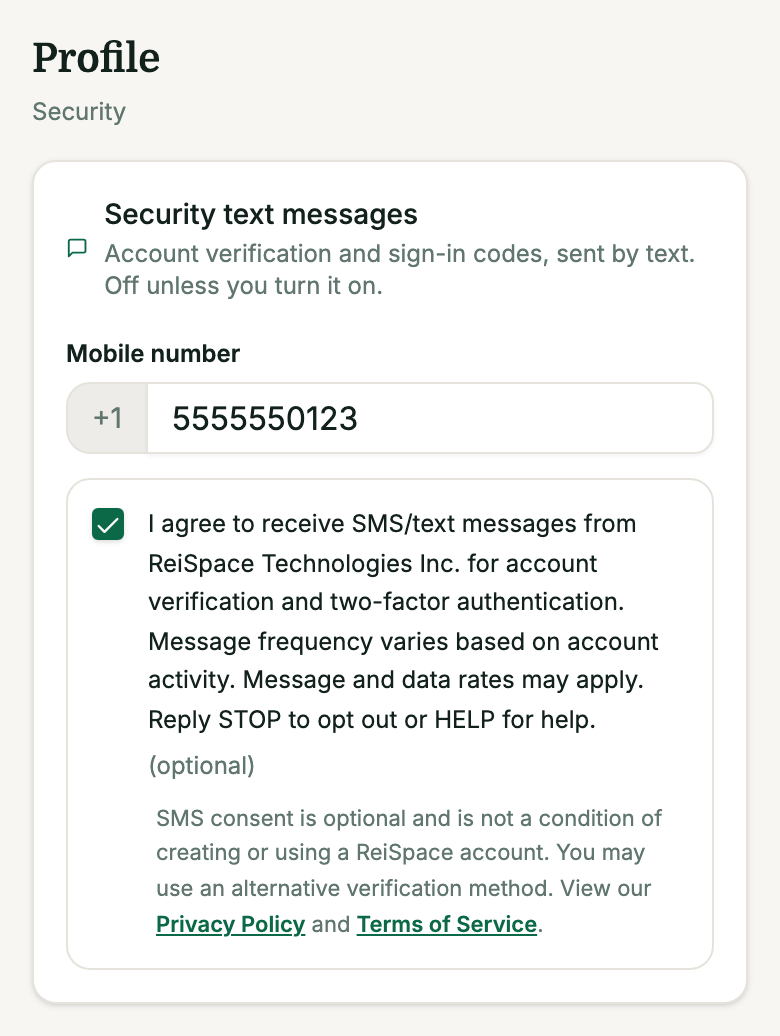
Inside the ReiSpace app, when creating an account (individual or organization) or later in their profile under “Security text messages”, a person can tick an unticked, optional checkbox next to the mobile number field. The number is a Canadian number; the app adds the +1. Text messages are off unless the person turns them on.
SMS consent is optional and is not a condition of creating or using a ReiSpace account. Another verification method (an authenticator app or an emailed code) can be used instead.
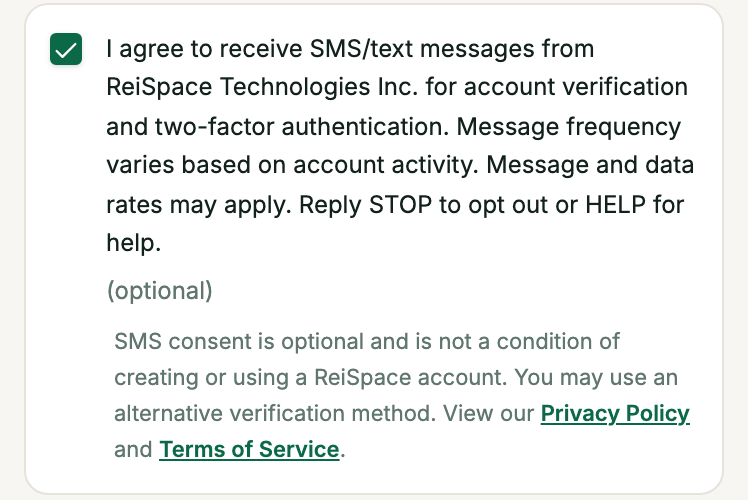
The exact words the person sees beside the checkbox:
I agree to receive SMS/text messages from ReiSpace Technologies Inc. for account verification and two-factor authentication. Message frequency varies based on account activity. Message and data rates may apply. Reply STOP to opt out or HELP for help.
(optional)SMS consent is optional and is not a condition of creating or using a ReiSpace account. You may use an alternative verification method. View our Privacy Policy and Terms of Service.
Wording version: sms-optin-2026-09-19. The box is unticked until the person ticks it. In the app, “Privacy Policy” and “Terms of Service” open the same documents that are published on this website: the Privacy Policy and the Terms of Service. Section 9A of the Privacy Policy, on text messages, is published here and will be in the app’s copy from its next version.
How to stop, and how to get help
Reply STOP to any message to stop all text messages from ReiSpace. Other opt-out words also work: STOPALL, ARRET, CANCEL, END, OPT-OUT, OPTOUT, QUIT, REMOVE, TD and UNSUBSCRIBE.
Reply HELP (or INFO) for help. The reply is:
ReiSpace: For help with text messages or your account, email support@reispace.com. Reply STOP to opt out. Message and data rates may apply.
Reply START, UNSTOP or YES to allow texts from the number again; sign-in codes by text also have to be turned back on in the app.
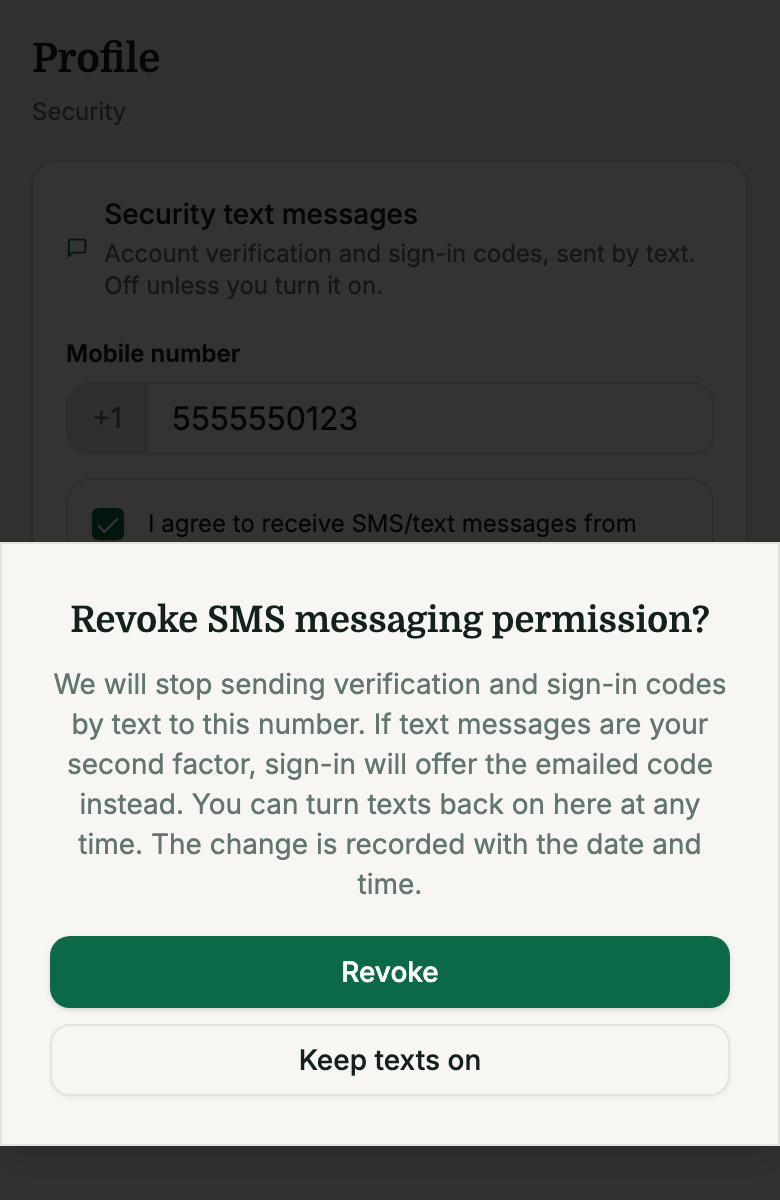
In the app, a person can withdraw consent at any time in their profile under “Security text messages”, which asks “Revoke SMS messaging permission?” before it turns texts off. The change is recorded with the date and time.
For help, email support@reispace.com.
Screenshots
Screens from a local test build of the app’s sign-up and profile screens, with made-up details and no real account.
Related
Privacy Policy, section 9A (text messages) · Privacy Policy · Terms of Service · Support